 Beckonbird Chat Button
How it is built
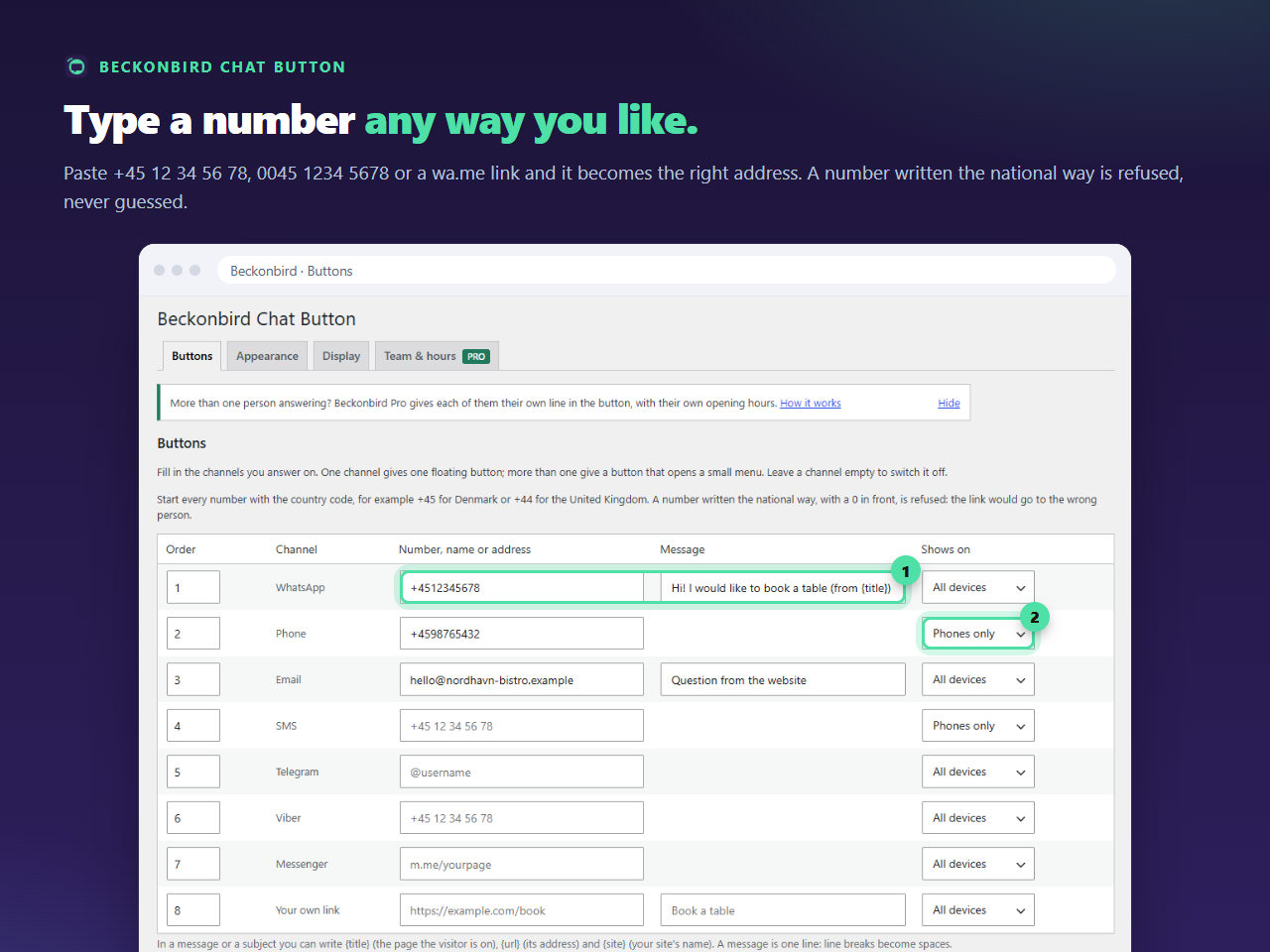
The text is added to the link as ?text=, with every special character encoded, so spaces, accents, ampersands and emoji survive. The message can be up to 500 characters; beyond that the plugin cuts it. It is one line: the field is a single line, and a line break pasted into it becomes a space. A < or a % in it is kept as you typed it. Leave the cell empty for a link that opens a blank conversation. See what comes out, with the page title filled in:
Build the link and see what the plugin saves
Pick a channel, paste a number, a name or an address, and see exactly what Beckonbird would save and which link it would draw. Nothing you type leaves this page.
Words that work
A prefilled message does two jobs. It saves the visitor from a blank box, and it tells you where they came from. Hi! I would like to book a table is better than Hello, and a message that includes the page, as in the guide on the page title, is better again.
What it cannot do
The visitor can still change the text or not send it. WhatsApp decides what happens next, and the plugin does not see the conversation. If you gave a WhatsApp Business short link instead of a number, the plugin keeps that link as it is and does not add a message, because those links carry their own.
The same cell for email
On the Email row the same column is the subject line of the message, up to 500 characters. See the email button.